

Get started
Verify
Drive cloud browsers, mobile devices, and early-access computers from TypeScript or Go
Verify is Revyl's open-source session library for TypeScript and Go. Open a cloud browser, iOS simulator, or Android emulator, ask Revyl's agent to do something, check the result, and close the session. Use it in a script, a coding-agent loop, CI, or your existing test runner. Early-access computers use commands and files instead of agent steps.
Verify isn't a test runner: it has no test, describe, or expect. A failed validation throws, so an uncaught failure makes a plain script exit non-zero.
Set up with an agent
Paste one prompt and your coding agent does the rest.
Setup prompt
Set up Verify in this project.

Read https://docs.revyl.com/verify.md and follow it. It's the current Revyl guide for this, so prefer it over anything you remember about Revyl.

Use Node.js 22.18 or later and the @revyl/verify package. Configure an iOS target for my app and prepare one instruction and one validation that check its main navigation. Ask before starting a paid cloud session.

You're done when the script is ready to open the configured app, run the instruction and validation, and close the session.

Ask me before anything that needs my login or approval.
Install and authenticate
You need a Revyl account and Node.js 22.18 or later for TypeScript, or Go 1.26.9 or later for Go.
npm install @revyl/verify@^0.2.0
npx @revyl/verify init
For TypeScript, choose iOS in the initializer. It writes verify.config.ts and verify/example.ts, and adds .verify/ to .gitignore. Set the generated target's app.appId to your Revyl app ID, and upload an iOS simulator build to that app. Verify installs its newest build when the session opens.
Go takes an inline verify.Target; it does not read verify.config.ts or have an init command. The Go module is versioned separately from npm: its first release tag will be go/v0.1.0, installed with go get github.com/RevylAI/verify/go@v0.1.0 once that tag exists. Until then, @main resolves to a pseudo-version: commit your app's go.mod and go.sum to pin it.
Provide REVYL_API_KEY in your shell or CI secret store, or install the Revyl CLI and sign in:
revyl auth loginBoth SDKs use REVYL_API_KEY before the CLI's stored login, except that a usable stored login marked local_auth_override takes precedence over the environment key. Never commit your API key. See authentication for creating a key.
Run a session
For TypeScript, replace verify/example.ts with the five-line example and run node verify/example.ts. For Go, save the complete example as main.go, replace the app ID, and run go run .:
import { open } from '@revyl/verify';
const session = await open('ios');
await session.instruction('Open the main navigation');
await session.validation('The main navigation is visible');
await session.close();
'ios' is the target name in verify.config.ts, not an app ID. Adapt the instruction and validation to your app. Use "type": "module" in your project's package.json so Node runs the TypeScript file as an ES module.
For other platforms, pass a target object directly to open(). Replace the app ID placeholders with your own:
import { open } from '@revyl/verify';

const session = await open({
  platform: 'web',
  app: { appId: 'YOUR_WEB_APP_ID', url: 'https://example.com' },
});
try {
  await session.instruction('Open the More information link');
  await session.validation('The IANA example domains page is visible');
} finally {
  await session.close();
}
Web requires a Revyl web app and a public HTTPS URL; the cloud browser cannot reach localhost. Android requires a build uploaded to your Android app. Use try/finally to close sessions even when a step fails, especially in long-running processes or test runners. TypeScript also attempts best-effort cleanup on uncaught errors, Ctrl+C, and normal exit, bounded to 15 seconds; it skips signal and error handlers when listeners already exist. Forced termination cannot run cleanup.
In Go, use verify.Target{Platform: verify.Web, AppID: "YOUR_WEB_APP_ID", URL: "https://example.com"} or verify.Target{Platform: verify.Android, AppID: "YOUR_ANDROID_APP_ID"}. Go has no automatic process-exit cleanup: explicitly close each session using a fresh, bounded cleanup context, as above.
Core API
In TypeScript, all calls are asynchronous. Await each step before starting another on the same session.
| Call | Result and failure behavior |
|---|---|
open(target, options?) | Returns a ready Session from a configured target name or target object; throws a VerifyError if startup fails. |
session.instruction(text, options?) | Returns a StepResult with type, text, passed, durationMs, and optional reason. Throws INSTRUCTION_FAILED if the agent cannot carry out the instruction. |
session.validation(text, options?) | Returns a StepResult; throws VALIDATION_FAILED if the check fails, or STEP_FAILED if no verdict is reached. { soft: true } returns a failed check instead of throwing VALIDATION_FAILED. |
session.screenshot({ path }?) | Returns PNG bytes as a Uint8Array, optionally writing them to a file; throws on capture or write failure. |
session.close() | Returns void after stopping the session; safe to call more than once. Throws if stopping fails. |
Other failures, including timeouts and connection errors, also throw. Each instruction and validation runs the agent again: there is no replay cache or memory between steps. See the full API reference for options and error handling.
Go uses verify.Open(ctx, target), session.Instruction(ctx, text), session.Validation(ctx, text), session.Screenshot(ctx, path), and session.Close(ctx). Calls return errors rather than throwing; check each one. Instruction and Validation return a StepResult, and Screenshot returns PNG bytes as []byte. See the Go API guide for options and typed errors.
Collect the evidence
Verify prints the session's viewer link when it opens. You can also read session.viewerUrl and session.id: the link shows the live session while it runs, and its recording and report afterward.
In Go, read session.ViewerURL() and session.ID(); logging is opt-in.
After closing a web or mobile session, use its ID with the Revyl CLI:
revyl device report --session-id <id> --jsonThe stored report contains the session's step results and available evidence. Keep the session ID and viewer link with your CI output so a failed check can be inspected afterward. For a local screenshot during the run, call await session.screenshot({ path: '.verify/screen.png' }) before closing.
A failed validation can still appear in passed_steps counts because the step executed successfully; check each step's effective_status and validation_result to determine whether the assertion passed.
See it working
In this real TypeScript run, Verify opened a macOS computer, ran a command with exit code zero, wrote and read back a file, captured the desktop, and closed with confirmed release. The run used SDK source revision 6029513, not a published npm package. Mac computers are early access and not yet available in Revyl production.
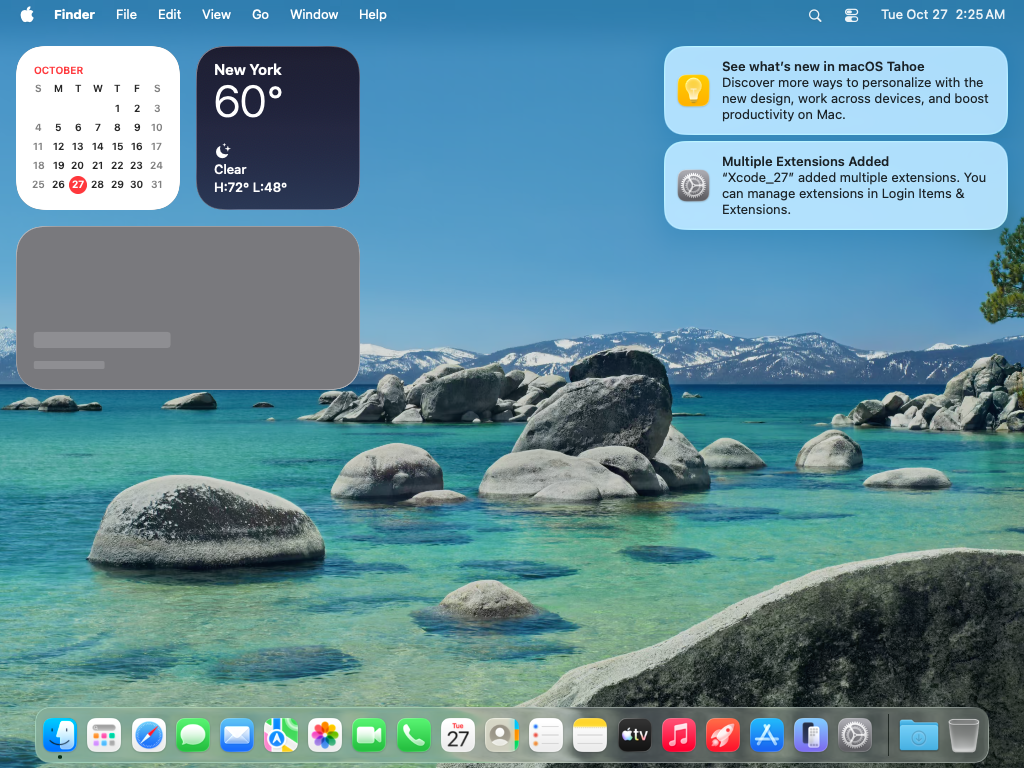
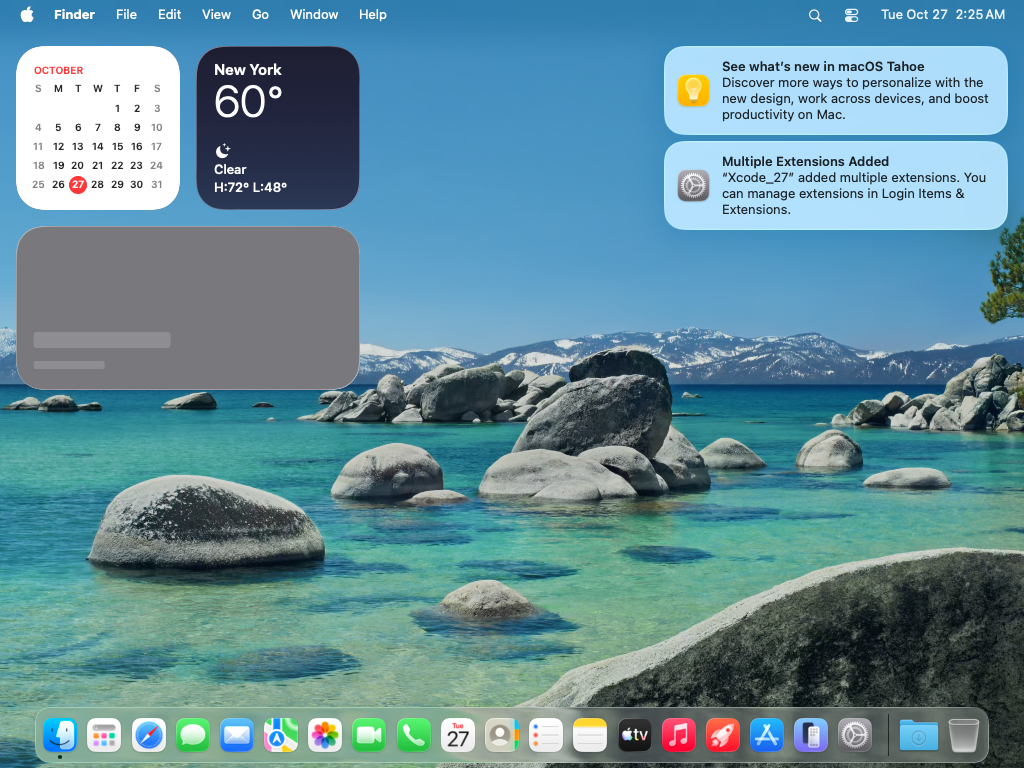
This excerpt of the real TypeScript terminal output omits unrelated fields:
{
  "platform": "mac",
  "status": "passed",
  "close": "confirmed-release",
  "operations": [
    { "operation": "exec", "passed": true, "durationMs": 1724, "exitCode": 0 },
    { "operation": "file-round-trip", "passed": true, "durationMs": 7336 },
    { "operation": "screenshot", "passed": true, "durationMs": 1016 }
  ],
  "totalDurationMs": 18324
}
The stored computer report confirms state: stopped and release: confirmed, with successful command, file-write, and file-read outcomes. This run exercised commands and files, not agent instruction or validation steps.
Computers (early access)
Mac and Linux computers are early access and not yet available in Revyl production. They share an API for commands, files, processes, and screenshots; Linux guests run Ubuntu 24.04. Linux in TypeScript requires @revyl/verify 0.2.0 or later; 0.1.0 opens Mac computers only.
The example below requires early-access credentials; contact support@revyl.ai before running it. See Computers for access and the desktop workflow, and Verify's computer setup guide for its required environment configuration.
Computers take commands and files, not instruction() or validation() steps. A Mac target needs no app ID:
import { open } from '@revyl/verify';

const computer = await open({ platform: 'mac' });
try {
  const result = await computer.exec(['uname', '-s']);
  console.log(result.stdout);
  await computer.writeFile('hello.txt', 'Hello from Verify!\n');
  const contents = await computer.readFile('hello.txt');
  console.log(contents.toString('utf8'));
  await computer.screenshot({ path: '.verify/mac.png' });
} finally {
  await computer.close();
}
For Linux, change the TypeScript target to { platform: 'linux' } or the Go target to verify.Target{Platform: verify.Linux}. TypeScript Linux targets require 0.2.0 or later; use an inline target or config entry, not init --platform linux.
exec() takes an argument array, not a shell command string, and returns exitCode, stdout, and stderr; a nonzero exit throws by default. Go's Exec returns ExecResult{ExitCode, Stdout, Stderr} and an error. File paths are relative to the computer's workspace. TypeScript readFile() returns a Buffer; Go ReadFile returns []byte. Screenshots are saved locally.
Limits, startup, and expiry
The following TypeScript behavior requires @revyl/verify 0.2.0 or later; the Go SDK also exposes these computer lifecycle rules:
COMPUTER_LIMIT(verify.ErrComputerLimitin Go) means queued work or a concurrency limit refused admission. Wait for capacity; Verify does not automatically retry creation.- Startup defaults to a 10-minute timeout. An unclaimed computer may fail with
no_hostafter 120 seconds from creation, producingSESSION_START_FAILED; claimed guests can take longer. A timeout does not prove resources were released: inspect the session before starting again. - Computers expire 60 minutes after creation, not after readiness or the last command. TypeScript
expiresAtand GoExpiresAt()expose the server deadline when available. Expired computers reject new operations, but explicit close and recording retrieval remain available. Always close infinallyor deferred cleanup; expiry alone does not confirm physical release.
Availability
Web, iOS, and Android support instruction and validation steps today. Mac and Linux computers are early access and not yet available in Revyl production; their API is for commands and files, not instruction or validation steps. Linux support in TypeScript requires @revyl/verify 0.2.0 or later.