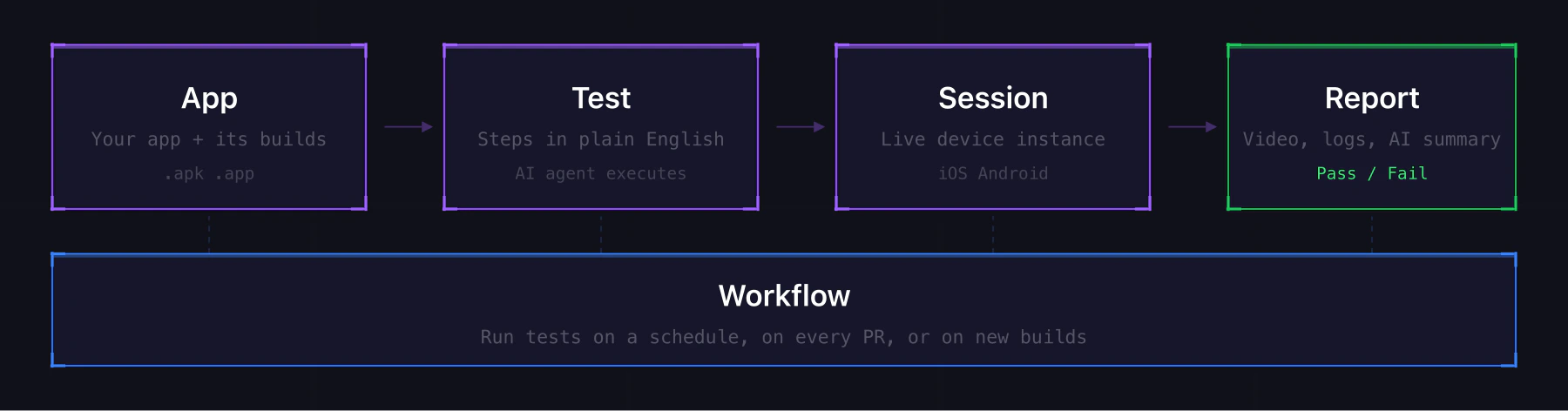
How the core primitives connect

App

Your mobile application in Revyl. An App is a container for builds: iOS Production, Android Staging, whatever variants you ship. Create one App per platform per environment. See Apps.

Build

A specific uploaded binary inside an App (.apk for Android, .app bundle for iOS). An App can hold many Builds over time. One is always the active build that tests run against by default.

Test

A sequence of steps that runs against a build on a device. Steps are written in natural language (“Tap Sign In”, “Verify the home screen loads”) and the AI agent executes them. See Tests.

Session

A live device instance. When you run a test or start one manually, Revyl boots a real iOS or Android simulator you can interact with. Sessions can also be compiled into tests. See Sessions.

Report

The output of every test run. Includes pass/fail status, video replay, AI summary, device logs, and network activity. Reports are shareable via public links. See Reports.

Workflow

A named group of tests that run together in parallel. Trigger a workflow from the UI, CLI, API, or CI/CD to run your whole suite at once. See Workflows.