

Build Structure
What is a Main Build?
A main build (or build alias) is a named container that groups all versions of a specific application variant. It’s not a file itself-it’s an organizational label.Examples of Build Aliases
Android Production- Your production Android appiOS Staging- Your staging iOS environmentAndroid Debug- Development buildsiOS Beta- Beta testing releases
When to Create a New Build
Create a new main build when:- ✅ Testing a different app variant (production vs staging)
- ✅ Managing separate iOS and Android apps
- ✅ Handling different app flavors (customer-specific builds)
- ✅ Organizing beta vs production releases
- ❌ Minor version updates
- ❌ Bug fixes
- ❌ Feature updates to the same app
What is a Version?
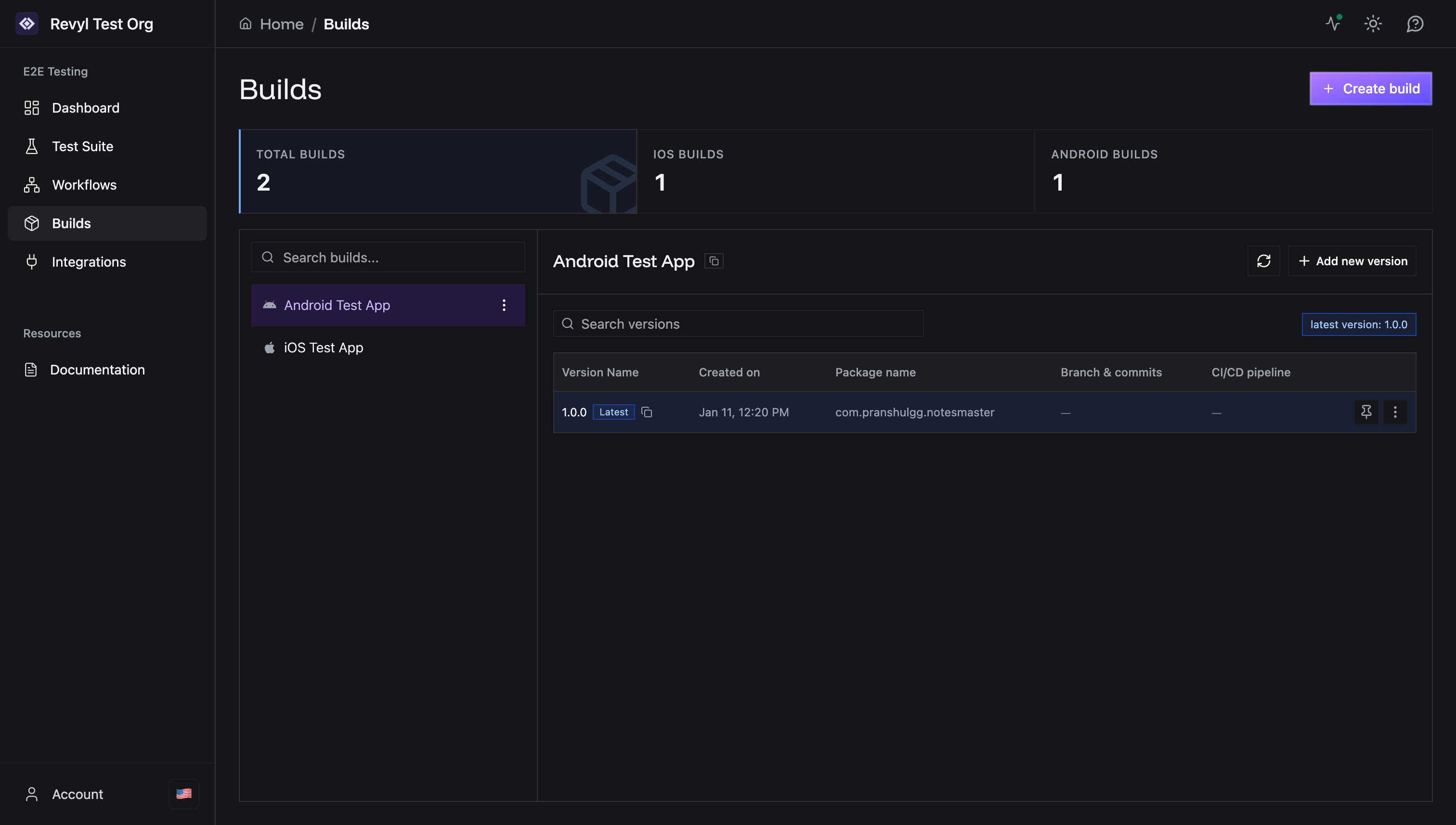
A version is an actual uploaded build file representing a specific release of your app. Each version contains:- The compiled app bundle (
.appfor iOS,.apkfor Android) - A version identifier (e.g., “1.0.0”, “2.1-beta”)
- Package name/bundle identifier
- Upload timestamp
Version Naming
Best practices for version names: Semantic Versioning (Recommended)The “Latest” Badge
The most recently uploaded version automatically receives the Latest badge. This helps you quickly identify the current version when creating tests.Practical Example
Let’s say you have an e-commerce app:Setup 1: Separate Build Aliases
Setup 2: Single Build with All Versions
Using Builds in Tests
When creating a test, you select:- The build alias (e.g., “Android Test App”)
- The specific version (e.g., “1.0.0” or “Latest”)
- A specific version (e.g., always test version 1.0.0)
- The latest version (automatically use the newest upload)
Version History
All versions remain accessible unless explicitly deleted. This allows you to:- Test against older releases
- Compare behavior across versions
- Reproduce bugs from specific builds
- Maintain test compatibility
Managing Versions
Uploading a New Version
- Navigate to the build in the Builds page
- Click Add new version
- Enter the version identifier
- Upload the build file
Deleting Old Versions
To delete a version:- Click the menu (⋮) next to the version
- Select Delete
- Confirm deletion
CI/CD Integration
When integrating with CI/CD pipelines:- The build alias stays constant
- Each CI run uploads a new version
- Version names can be auto-generated from:
- Git commit hash
- Build number
- Branch name + timestamp
Next Steps
- Build Creation Guide - Create your first build
- Xcode Builds - iOS build instructions
- Gradle Builds - Android build instructions
Need help? Contact [email protected]