

Overview
Revyl provides powerful CI/CD integration capabilities that allow you to run automated tests as part of your continuous integration and deployment workflows. By integrating Revyl with your CI/CD pipeline, you can:- Run tests automatically on every pull request or commit
- Catch bugs early before they reach production
- Maintain quality gates by failing builds when tests fail
- Scale testing across multiple platforms and devices
- Get instant feedback on code changes
How CI/CD Integration Works
Revyl’s CI/CD integration is built on a simple API-based approach:- Generate an API Key - Create a personal or organization API key for authentication
- Configure Your Pipeline - Add Revyl to your CI/CD workflow (GitHub Actions, GitLab CI, etc.)
- Trigger Tests - Execute tests or workflows via the Revyl API
- Receive Results - Get pass/fail status and detailed workflow reports
Getting Started
Step 1: Generate an API Key
API keys are used to authenticate your CI/CD pipeline with Revyl. You can create either:- Personal API Keys - Associated with your user account
- Organization API Keys - Shared across your team
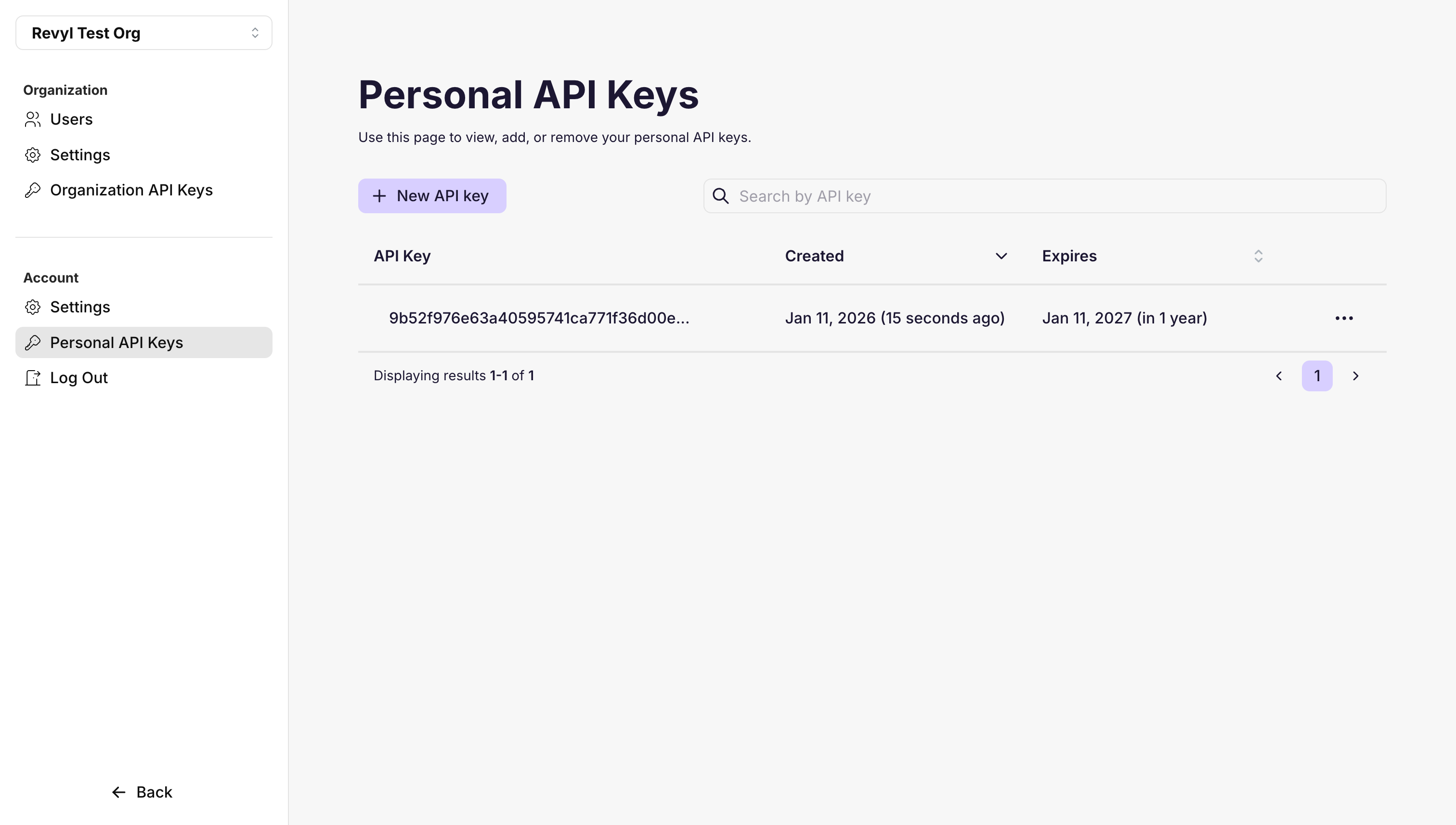
Creating a Personal API Key
- Navigate to Account → Personal API Keys
- Click New API key
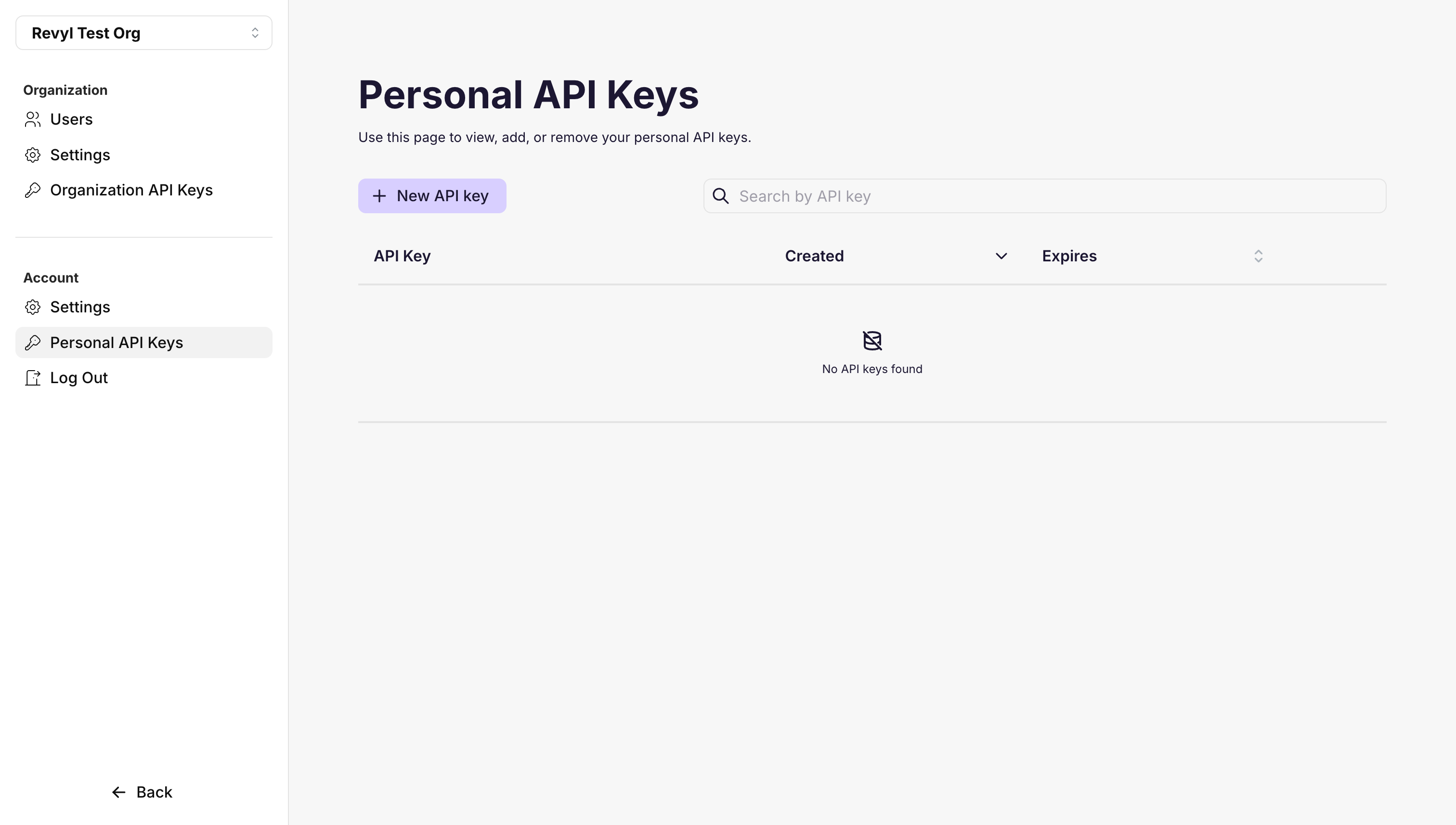
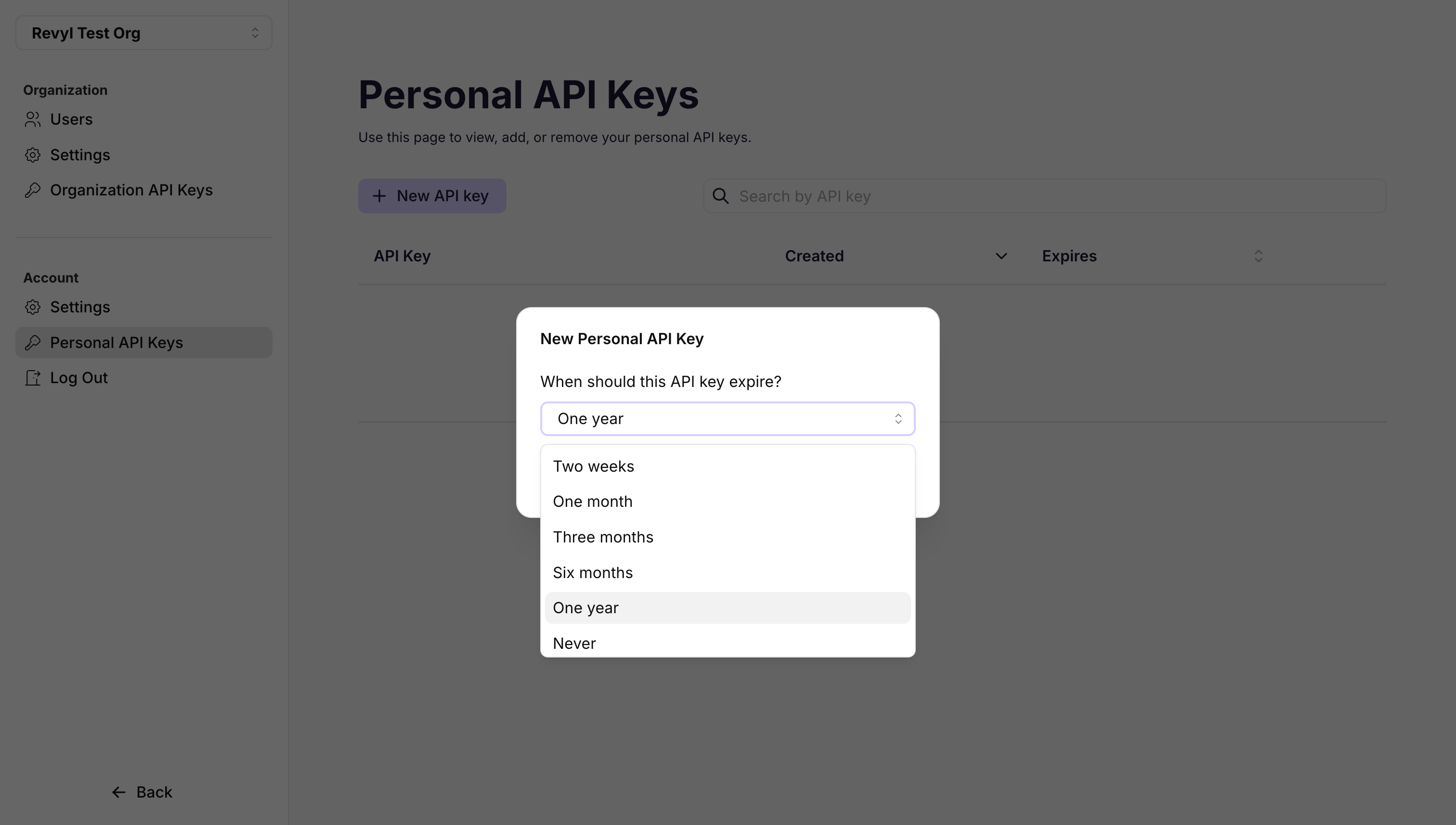
- Select an expiration period for the key:
- Two weeks
- One month
- Three months
- Six months
- One year
- Never (not recommended for security)
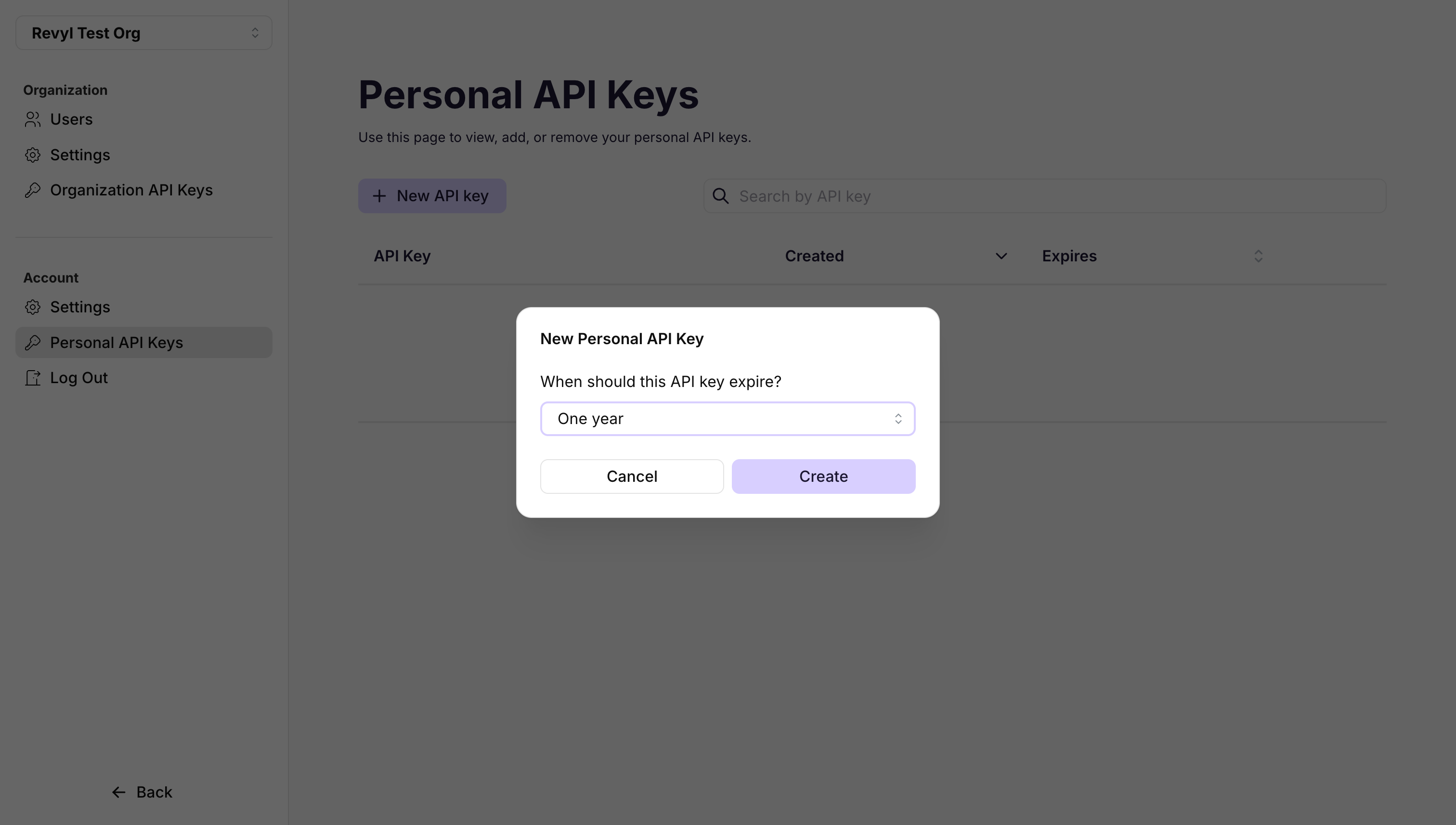
- Click Create
- Copy your API key immediately - This is the only time you’ll be able to view it!
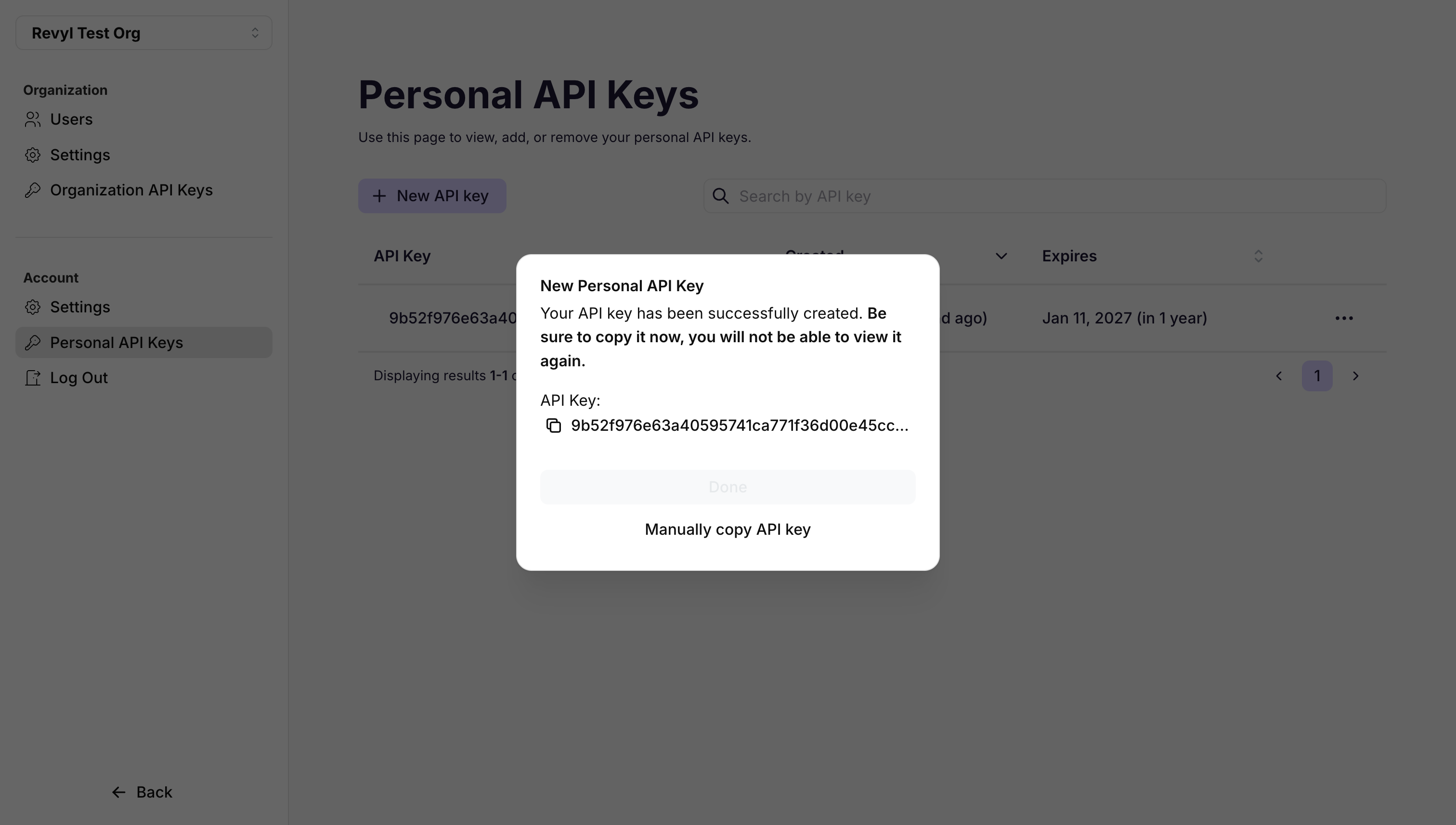
- Store the key securely (e.g., in your CI/CD secrets manager)
- Never commit API keys to version control - Use your CI/CD platform’s secrets manager (GitHub Secrets, GitLab CI/CD Variables, etc.) - Rotate keys periodically for enhanced security - Use organization keys for team projects - Set appropriate expiration periods based on your security requirements
Step 2: Get Your Test or Workflow ID
You’ll need the ID of the test or workflow you want to run in CI/CD.Finding Workflow IDs
- Go to Workflows
- Hover over a workflow card, then click the three dot menu button
- Click Copy ID
Step 3: Configure Your CI/CD Pipeline
Revyl provides integrations for popular CI/CD platforms:- GitHub Actions - Official Revyl GitHub Action
- GitLab CI - Use the Revyl API directly
- Jenkins - Use the Revyl API directly
- CircleCI - Use the Revyl API directly
- Any other platform - See API Reference
Running Tests via API
For direct API integration, see the API Reference for complete documentation on executing tests and workflows programmatically.Common Use Cases
Pull Request Testing
Run tests automatically when a pull request is opened or updated:Nightly Regression Testing
Schedule workflows to run overnight:Pre-Deployment Validation
Run smoke tests before deploying to production:Retries and Error Handling
Configure retry behavior for flaky tests:Monitoring and Notifications
Combine Revyl with integrations for comprehensive monitoring:- Slack Integration - Get notifications in Slack
- GitHub Integration - Post results as PR comments
- Email Notifications - Configure in Revyl settings
Next Steps
- GitHub Actions - Set up the official GitHub Action
- API Reference - Complete API documentation for custom integrations
- Test Creation - Learn how to create effective tests
- Workflows - Group tests into workflows
Need help? Contact [email protected]