

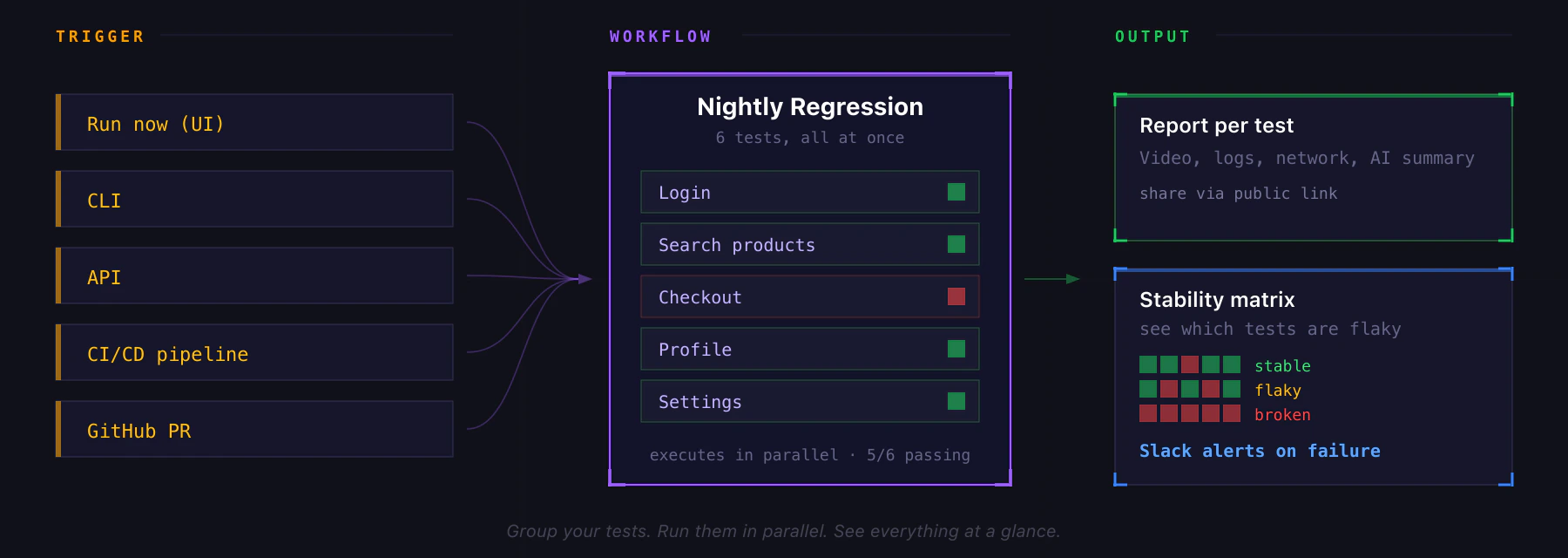
Creating a Workflow
- Go to Workflows and click Create Workflow
- Name it (e.g.
Nightly Regression,Smoke Suite) - Pick the tests to include. Filter by platform or tags to find them quickly.
- Save
Running a Workflow
Trigger it any of these ways:- Run Now button on the workflow card or detail page
- CLI:
revyl workflow run <id> - API:
POST /api/v1/execute_workflow_id_async - CI/CD: from your pipeline, with
X-CI-*headers to attribute the run
Workflow Settings
From the workflow detail page, configure:- App override: pin one iOS or Android app for every test in the workflow. Off by default, which means each test uses its own app.
- Location override: run every test with the same GPS coordinates.
- Test timeout: max duration for any single test in the workflow (1–180 min).
- Failure policy per test: mark individual tests as quarantined so their failures don’t fail the workflow (useful for flaky tests you’re still stabilizing).
- Slack notifications: route workflow results to a channel.
Workflow Detail View
Four tabs:- Tests: the tests in this workflow, with per-test quarantine toggle
- History: every execution, with pass/fail trend chart
- Stability: a matrix showing which tests are stable, flaky, or broken over recent runs
- Settings: the overrides above
Related
- Reports: every test in a workflow produces its own report
- Slack integration: configure failure alerts
- CLI: trigger workflows from your terminal or CI